Why Won't a QR Code Scan on a Printed Sign? Size, Contrast and Placement
Why Won't a QR Code Scan on a Printed Sign? Size, Contrast and Placement
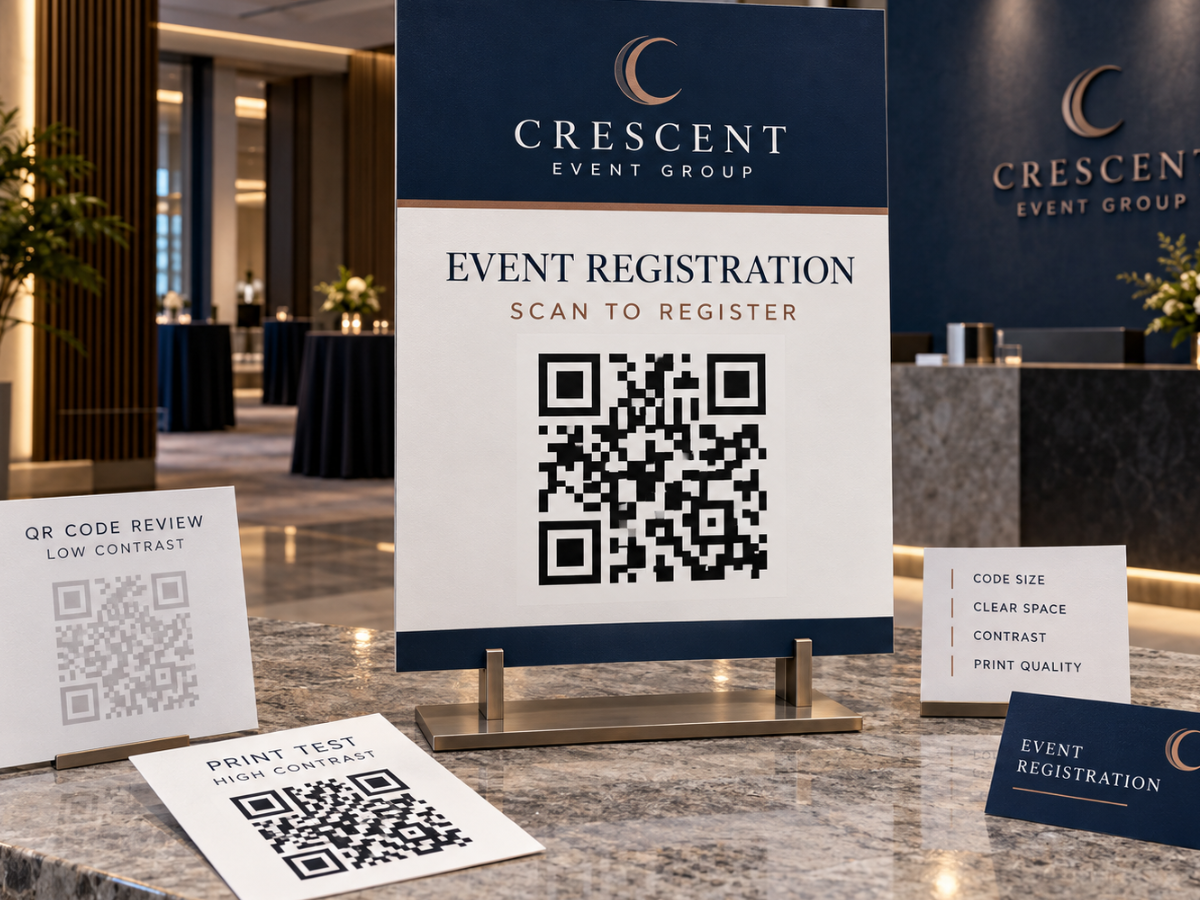
When a QR code works on a computer screen but fails on a printed sign, check its physical size, contrast, surrounding clear space, print quality and installation position. Glare, viewing distance, curved surfaces and nearby graphics can also interfere. Test the code at its intended printed dimensions and in the actual display environment before approving a large print order.
A business creates a QR code for an event registration page. The code scans immediately on a laptop screen, so the designer places it near the bottom of a retractable banner and sends the artwork to print.
At the event, visitors hold up their phones. Some cannot get a result. Others need to move closer, step sideways or adjust the camera angle before anything happens.
The registration page works. The code itself may even be valid. The problem is that a QR code designed for a screen is now being used as a physical object in a much larger environment.
Printed signs introduce conditions that are easy to overlook during design: distance, reflections, textured surfaces, mounting hardware, lighting and the resolution of the finished artwork.
Diagnosing a scanning problem is easier when these factors are considered separately. Otherwise, a business may regenerate a perfectly functional code when the real issue is that it was printed too small or installed in the wrong place.
1. First, Determine Whether the QR Code or the Destination Is Failing
There are two different problems that often get described as a QR code not working.
The first is a scanning problem. The phone camera cannot reliably recognize the printed pattern.
The second is a destination problem. The camera recognizes the code, but the resulting website does not open correctly.
These problems require different solutions.
If the phone recognizes the code and displays a link, inspect the website address, redirects, internet connection and destination page.
If the camera never recognizes the pattern, investigate the printed code and its physical surroundings.
Start by scanning the original digital code. Then scan the final printed piece at a realistic distance.
That simple comparison can establish whether the difficulty was introduced during artwork preparation, printing or installation.
2. Why QR Code Size Matters
A QR code is made from a grid of small square elements called modules.
A phone camera must be able to distinguish these elements clearly enough to interpret the pattern.
When a code is reduced to a very small physical size, individual modules become harder for the camera to resolve.
There is no single minimum printed dimension appropriate for every sign because scanning depends on the amount of encoded data, camera capability, printing quality and intended distance.
A QR code that works on a business card held close to the phone may be too small when placed on a banner viewed from several metres away.
Design the code for how people will actually use the display.
If visitors cannot comfortably approach the sign, consider whether a separate, more accessible printed code would be appropriate.
3. Test the Distance Before Choosing the Final Size
A printed QR code should be large enough for a person to scan it from a sensible position.
Consider a conference banner beside a registration desk.
Visitors may stand close to it while waiting in line. In that setting, a conveniently positioned code within normal reach could work well.
Now consider the same code on a sign installed high above a doorway. Even if the printed symbol is physically larger, the camera may be too far away or held at an awkward angle.
The available scanning position matters as much as the size of the graphic.
Before approving production, create an actual-size test and position it at the approximate height and distance expected in use.
Ask someone unfamiliar with the design to scan it using a normal phone camera.
4. What Is the Quiet Zone Around a QR Code?
A QR code requires clear space around the patterned symbol.
This is called the quiet zone.
For a standard QR code, the quiet zone should extend at least four modules beyond each side of the symbol.
A module is one of the small squares that forms the code. The required clear-space dimension therefore changes with the size of those squares.
Do not confuse this requirement with the general safe area used for trimming printed products. They serve different purposes.
If text, photographs, coloured borders or decorative patterns intrude into the quiet zone, the camera may struggle to identify the symbol's boundaries.
A common mistake is placing a QR code directly into a busy photograph without giving it its own clear background.
Use a dedicated, uncluttered area instead.
5. Why Low Contrast Causes Scanning Problems
QR-code readers rely on a clear visual distinction between the darker and lighter elements of the pattern.
Black modules on a plain white background are a dependable starting point.
Branded colours can sometimes work, but not every combination produces sufficient contrast for reliable recognition.
For example, a pale grey code on a white background may look elegant in a design mockup while being difficult for a phone camera to distinguish.
Likewise, a coloured code against another similarly toned colour can create problems.
Do not judge contrast entirely from an illuminated monitor.
Check the final printed result under the type of lighting where the sign will be used.
6. Should QR Codes Be White on Black?
Some phone cameras can recognize inverted QR codes, but support and reliability may vary.
For a business sign intended to work across different devices, the conventional dark-on-light arrangement is generally the safer choice.
If the brand uses a dark background, place the QR code inside a suitable light panel with its required quiet zone.
The panel can be integrated neatly into the sign without compromising the surrounding design.
Do not invert the code simply because the white version looks more attractive.
When an unconventional colour arrangement is necessary, test the final printed version with multiple devices before production.
7. Why Does Glare Interfere With Scanning?
Glossy and reflective surfaces can introduce bright spots that obscure part of a QR code.
The problem may be especially noticeable under directional lighting, near windows or on signs viewed from certain angles.
A code might scan perfectly when the camera is held directly in front of it but fail when reflected light crosses its surface.
Surface finish should therefore be considered when the QR code is an important functional element.
Matte finishing may reduce some reflections, depending on the material and application.
However, no finish guarantees glare-free scanning under every lighting condition.
For a permanent installation or frequently used display, test representative printed material where practical.
8. Can a QR Code Work on a Vinyl Banner?
Yes, provided the code is designed and positioned appropriately.
Vinyl banners are used for event graphics, promotions and commercial signage. A QR code can direct interested viewers to relevant online information.
The challenge is that a flexible banner may not remain as flat as a piece of paper.
Wrinkles, folds and uneven tension can distort the pattern, particularly when a code crosses a section that bends noticeably.
Keep the code away from grommets, heavily stressed edges and areas likely to fold around mounting structures.
If the banner will hang against a fence or other irregular surface, consider how that installation may affect flatness.
Pryntco offers Custom-Size Vinyl Banners for commercial advertising and event displays.
9. Where Should a QR Code Go on a Retractable Banner?
A retractable banner is usually viewed from both a distance and a closer conversational position.
The main headline and business identity should communicate from farther away. The QR code is intended for someone who has moved closer and wants additional information.
That usually makes a conveniently reachable section of the banner more practical than placing the code at the very top.
However, the bottommost area may be obstructed by the banner's base, nearby furniture or people standing in front of it.
Position the code where a visitor can approach comfortably and hold a phone without awkward movement.
Avoid putting it directly on an edge that disappears into the hardware.
Pryntco's Retractable Banner Stands are designed for portable indoor promotional displays.
10. What About Rigid Signs and Foamcore Boards?
A rigid sign provides a relatively stable surface, making it suitable for QR-code applications where visitors can approach the graphic.
However, the board's construction alone does not guarantee a successful scan.
Viewing height, lighting, code size and mounting still matter.
For example, a foamcore sign beside a reception desk may be easy to scan when supported at an appropriate height.
The same code installed too high on a wall could be inconvenient.
Keep the code away from damaged corners, trim boundaries and any hardware that could cover part of the pattern.
Pryntco offers Foamcore Signs and Coroplast Signs for different indoor and outdoor display applications.
11. Why QR Codes Can Be Difficult on Window Graphics
Windows introduce reflections, changing light and physical interruptions that may affect scanning.
A QR code placed across a window frame or between separate panels is particularly vulnerable because the pattern is no longer continuous.
Perforated window film presents another challenge: the material contains small openings that interrupt the printed surface.
Fine QR-code modules may not reproduce cleanly across those openings.
If a window display needs a QR code, consider placing it on a suitable uninterrupted area with adequate contrast.
A separate small solid decal may be a more practical solution than embedding a detailed code inside a large perforated graphic.
The available material and installation arrangement should be confirmed for the particular window.
12. Does the Amount of Information in the Code Matter?
Yes.
A QR code can contain different amounts of encoded information. More data may require a denser pattern or a larger symbol version.
When the printed dimensions remain the same, a denser code contains smaller individual modules.
Those smaller details may be harder for the camera to recognize, especially on a large-format display being scanned from a distance.
A short, stable web address can therefore be easier to work with than a long URL containing unnecessary tracking parameters.
However, shortening a URL is not automatically the same as creating a reliable long-term destination.
The business should control the destination and confirm that any redirects or external services will remain available for the expected life of the sign.
13. Why a Blurry QR Code File Can Fail After Printing
A QR code should have clearly defined square modules with clean boundaries.
If the original code is saved at low resolution and enlarged for a large sign, those edges may become blurred.
An image that appears acceptable at a small size may not survive substantial enlargement.
Use an appropriately prepared high-quality graphic or vector-based code wherever the production workflow supports it.
Do not take a screenshot of a QR code from a website and stretch it to fill a large section of the sign.
Also avoid repeated image compression, unnecessary visual effects and resizing methods that soften the module boundaries.
Inspect the final exported PDF, not just the original design file.
14. Can Error Correction Fix a Poorly Printed QR Code?
QR codes include error-correction capabilities that can help readers recover information when part of a symbol is damaged or obscured.
However, error correction does not mean that print quality, contrast and physical dimensions can be ignored.
A code with poorly defined modules, inadequate clear space or severe distortion may still be unreadable.
Increasing error correction may also affect the symbol's density, depending on the content and code version.
For business signage, treat error correction as one part of the technical design rather than a substitute for proper preparation and testing.
15. Should a Printed QR Code Include Instructions?
Usually, yes.
A visitor should understand why scanning is useful.
A code with no explanation may be ignored, even when it functions perfectly.
Useful wording should identify the actual destination or action:
- SCAN FOR THE MENU
- SCAN TO REGISTER
- VIEW AVAILABLE PRODUCTS
- REQUEST A QUOTE
- VIEW EVENT DETAILS
Only use wording that accurately describes the page behind the code.
There is little benefit in promising instant registration when the destination is merely a general company homepage.
For important business information, include a readable alternative such as a short website address.
16. What If the Code Scans but the Website Doesn't Open?
When the camera successfully recognizes the code, the problem may be unrelated to printing.
Check whether:
- The destination URL is correct.
- The webpage is still available.
- The site requires a login or permission the visitor does not have.
- A redirect is broken.
- The relevant campaign page has expired.
- The visitor has a usable internet connection.
- The website works properly on mobile devices.
For a code printed on long-term signage, choose a destination that the business can maintain.
A dynamic QR-code service can provide link-management capabilities, but it may also introduce account, subscription or service-dependency considerations.
Confirm these conditions before relying on such a service for permanent print.
17. How to Test a QR Code Before Approving Signage
A proper test should resemble how people will use the completed sign.
Begin with the final artwork and produce a correctly sized test of the code, or a representative proof where that is appropriate.
Check its clear space and contrast.
Then:
- Scan using more than one phone.
- Test at a realistic viewing distance.
- Check under the intended lighting conditions.
- Try the angles from which visitors will approach.
- Confirm that any mounting hardware stays clear of the symbol.
- Verify that the correct website opens.
- Check that the destination works on mobile.
- Inspect the code in the final exported artwork.
Where the surface or finishing is important, test the actual printed material rather than relying exclusively on a desktop-paper mockup.
18. A Simple Troubleshooting Checklist
If an existing printed QR code isn't scanning, work through the problem in this order:
| What Happens | Possible Cause | What to Check |
|---|---|---|
| Digital code works; print doesn't | Print size, artwork quality or contrast | Inspect the final print and exported file |
| Works close up but not farther away | Insufficient physical size or detail | Test the intended viewing distance |
| Only scans from certain angles | Reflections, curvature or distortion | Review lighting and installation |
| Camera doesn't recognize the pattern | Quiet-zone, contrast or module problem | Inspect edges and background |
| Link appears, but page fails | Broken URL, redirect or access issue | Test the destination independently |
Do not assume that every failed scan requires reprinting the sign. A destination issue may be correctable online, depending on how the QR code was created and managed.
When the printed pattern itself is unsuitable, replacing the code or sign may be necessary.
19. Planning QR Codes for Future Print Orders
QR codes can be useful on signage, but they should be treated as functional elements rather than decorative additions.
Choose the intended destination first. Generate a code with suitable data, preserve its clear space and prepare it at a size appropriate for the actual display.
Place it where visitors can comfortably scan without stepping into traffic, blocking an entrance or holding their phones at an awkward angle.
Review the final artwork and test the printed result.
For banners and signs, the physical environment is part of the design. A QR code that works on a computer screen is only the starting point.
Pryntco prints Vinyl Banners, Foamcore Signs, Coroplast Signs and other large-format display products.
For a custom sign with unusual mounting conditions or technical artwork requirements, request a quote from Pryntco with the intended size, installation details and print-ready artwork.